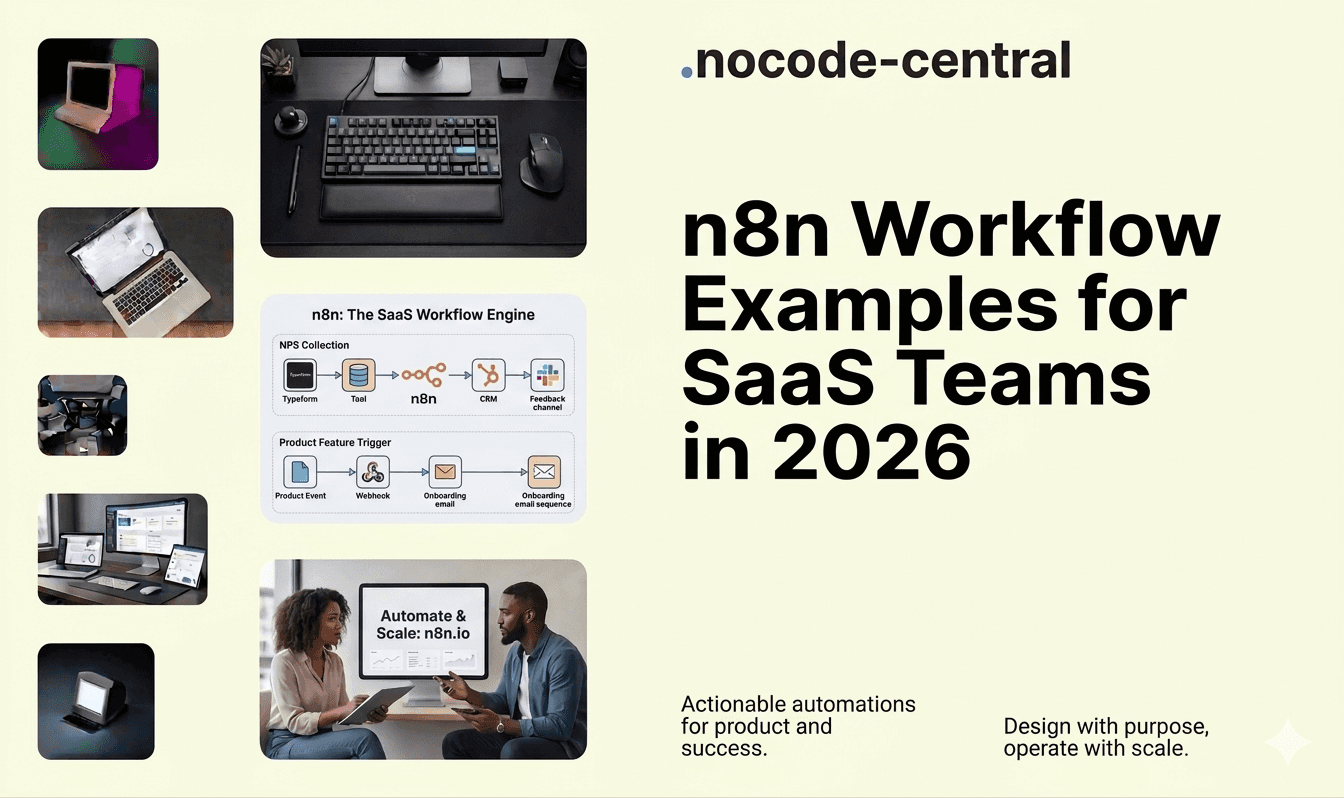
Most SaaS teams already run on a stack of tools: a CRM, billing platform, product analytics, data warehouse, support system, and a handful of marketing tools. Each one does its job, but too often they behave like separate islands.
n8n is the “glue” that can turn those tools into an integrated system: routing leads, driving activation, surfacing churn risk, and keeping your data in sync – without throwing more people at the problem. It’s flexible, self-hostable, and designed for technical teams who want automation to feel like part of their stack, not a side project. It has surpassed 230,000 active users and raised $240M in total funding at a $2.5B valuation, with 75% of its enterprise customers actively using AI-integrated workflows.
This page walks through concrete n8n workflows for SaaS, so you can see what’s realistic and where it’s worth bringing in an n8n agency rather than trying to duct-tape everything yourself.
To keep it simple, think of this as: “If we had our ideal automation layer, what would it actually do?”
TL;DR
n8n connects your CRM, billing, product analytics, and support tools into workflows that run without manual intervention
Lead routing and enrichment: capture leads from every source, standardize data, route into CRM with ownership rules, and alert sales with context
Trial and onboarding automation: segment users by product behavior (activated, stuck, inactive) and trigger tailored nudges instead of generic email sequences
Churn detection: aggregate usage drops, billing failures, low NPS, and unresolved tickets into a health score that alerts your CS team before customers cancel
Billing and finance sync: automate dunning sequences, payment recovery, and subscription lifecycle events between your billing platform and CRM
Product-led messaging: let in-app behavior drive expansion, referral, and upsell communications instead of time-based drip campaigns
n8n now has 230,000+ active users and raised $240M at a $2.5B valuation, making it the fastest-growing open-source workflow automation platform
At Goodspeed, we design n8n workflow systems for SaaS companies as a certified n8n agency. Book a free consultation or explore our Signal Sprint to scope the right automation architecture for your stack.
Top workflow categories for SaaS teams
Most high-value n8n workflows for SaaS companies fall into a few categories:
Lead management and enrichment
Connecting all your lead sources, enriching them, and routing them into the right place quickly. This touches revenue directly: speed-to-lead, qualification quality, and rep focus.
Trial and onboarding automation
Translating product events into tailored onboarding and nudges. This is where you move signups to activation, which has a direct impact on conversion and future expansion.
Customer health and churn risk alerts
Pulling together product usage, billing events, and support data into a simple view of “who’s at risk” so CS and sales focus on the right accounts.
Billing and finance automation
Keeping subscriptions, invoices, refunds, and dunning in sync between billing, CRM, finance, and analytics. This reduces revenue leakage and manual back-and-forth. For a deeper look at finance-specific workflows, see our guide to n8n workflow examples for finance teams.
Product usage–driven lifecycle messaging
Letting behaviour in-app drive messaging in CRM, email, and support tools instead of generic sequences. This improves engagement and expansion opportunities.
Internal ops and support tooling
Everything that makes the machine run smoother: routing tickets, syncing account notes, updating entitlement flags, and creating internal dashboards from multiple systems.
The examples below are built around these categories.
Example workflow #1 – Lead routing and enrichment
Problem
Leads arrive from forms, paid campaigns, chat, and partner referrals. Data is inconsistent. Some go into the CRM, some sit in tools nobody checks, and some get lost. Routing rules live in someone’s head. Speed-to-lead is inconsistent, and the CRM is full of half-baked records.
Workflow (how n8n helps)
In n8n, our n8n consultants typically design this as a set of reusable workflows:
Capture leads from every source
Web forms (via webhook or your form tool’s API)
Paid media platforms (e.g. Meta/Google lead forms)
Chat tools and support systems
Event tools and partner referral forms
Standardise and enrich data
Normalise fields into a single lead schema
Call enrichment APIs (e.g. firmographic and technographic data) or internal data sources
Apply simple rules to flag ICP fit, segment, and priority
Route into CRM with clear ownership
Insert or update records in the CRM
Apply assignment logic (territory, segment, round-robin, named accounts)
Tag and timestamp for reporting
Notify sales with context
Push a Slack or email alert with key fields, enrichment data, and links
Optionally create tasks or sequences directly in the sales engagement tool
Because n8n is both visual and programmable, this logic stays understandable for RevOps while still being robust enough for engineering teams.
Result
Faster and more consistent response times
Cleaner CRM data, with fewer duplicate or junk records
Better qualification at the point of capture, not three meetings later
Evaluating whether to build new, migrate, or scale what you have? Book a free consultation. We will give you an honest recommendation in one call.
Example workflow #2 – Trial and onboarding automation
Problem
Everyone gets the same onboarding emails regardless of what they do in the product. Some users activate on their own, some get stuck on the same screens, some never return after sign-up. Product events exist, but they’re not driving targeted communication.
Workflow
Our n8n experts usually wire this up around product events and simple behavioural segments:
Hook into product events
Ingest events via webhooks, your event stream, or sync from the data warehouse
Focus on a small set of key milestones (e.g. project created, integration connected, first report exported)
Segment users by behaviour
“Activated” users – completed the critical path
“Stuck” users – signed up but didn’t hit first value
“Inactive” users – no activity after a given window
Trigger tailored campaigns
For “stuck” users: nudges and how-to content focused on the next step
For “inactive” users: win-back flows or feedback requests
For “activated” users: expansion, referrals, or advanced features
Push context to CSMs or sales
Create internal alerts when high-value accounts get stuck
Surface key events in CRM timelines and CS tools
All of this runs as n8n workflows that sit between your product data and tools like email, CRM, and support.
Result
Higher trial-to-paid conversion
Fewer users silently churning in early stages
CSM and sales teams focusing on accounts that actually need intervention
Not sure where to start? Talk to our team. One call, no obligation, just honest guidance.
Example workflow #3 – Customer health and churn risk alerts
Problem
Most churn risk is spotted too late – when the customer tells you they’re cancelling. The signals (usage drop, payment issues, low NPS, unresolved tickets) exist, but they’re scattered across tools and nobody has time to piece them together.
Workflow
Our workflow automation experts often model this as a simple health-scoring system in n8n:
Aggregate signals from key systems
Product usage from analytics or warehouse
Support activity from your help desk
Billing events from your subscription/billing platform
Survey or NPS responses
Compute health scores or flags
Define a small set of rules (e.g. sharp drop in activity, repeated dunning, many unresolved tickets)
Score accounts as “healthy”, “watch”, or “at risk”
Add reasons: “billing issues”, “usage drop”, “support friction”
Push alerts into the tools teams live in
Send alerts to CS/AM Slack channels
Update CRM fields and tasks
Optionally create views or lists of at-risk customers for proactive outreach
Close the loop
Track which alerts lead to interventions
Refine rules over time based on what actually predicts churn
Result
Earlier, targeted retention efforts
A shared, data-backed view of account health
CSMs focusing on the right customers instead of guessing
Additional Examples
A few more n8n workflow examples for SaaS companies that come up again and again:
Automated dunning and payment recovery
Detect failed payments and upcoming renewals in your billing system, then trigger a sequence: reminders, payment link, internal alerts, and finally downgrades or suspensions if needed. This reduces involuntary churn and frees finance from manual chasing.
Syncing product-qualified leads into CRM
Use product event data to identify PQLs (trial users hitting meaningful usage thresholds), then sync them to the CRM with context (features used, team size, time-to-value). Notify sales and CSMs when accounts cross key thresholds.
“Command centre” internal dashboards
Pull metrics from CRM, product analytics, billing, marketing, and tickets into a single dashboard or internal doc. n8n handles the scheduled collection and transformation; your BI or reporting tool handles the visualisation.
Auto-provisioning and deprovisioning
When contracts are signed, renewed, or cancelled, automatically adjust feature flags, entitlements, and user access across internal tools and the product. This tightens control, reduces errors, and keeps CS and finance aligned.
Each of these is a fairly small workflow on its own; the real power comes when they start to interact and share components.
Want this done right the first time? Our team has shipped 200+ projects. Book a free consultation and get clarity in one call.
How we design reliable workflow systems (not just one-offs)
Most teams start with isolated automations: a Zap here, a scenario there, a script someone hacked together. That works until it doesn’t.
Our approach as an n8n agency is to design systems, not one-offs:
Start from the business process
We start with the process (lead to opportunity, trial to activation, renewal to expansion), not with “what can this tool do?”. That keeps the focus on outcomes and handoffs, not node types.
Use clear standards for naming, folders, and documentation
Workflows are grouped by domain (e.g. revenue, product, support), named consistently, and documented. This makes it possible for new people to understand what’s running and why.
Build reusable sub-workflows
Common patterns – like “send Slack alert”, “log to warehouse”, “enrich company” – become reusable sub-workflows. Our n8n developers wire these into bigger flows, which reduces duplication and makes changes safer.
Add explicit error handling, monitoring, and alerts
Rather than relying on default behaviour, our n8n experts:
Catch and handle predictable errors (API limits, missing data)
Send failures to a central log or channel
Set up alerts and simple SLOs for critical workflows
That’s the difference between “someone’s clever automation” and automation you’re comfortable putting under core metrics.
When to bring in workflow automation experts
The global workflow automation market is projected to reach $26 billion in 2026 and grow at a 9.4% CAGR to $40.77 billion by 2031, driven by the convergence of AI and robotic process automation across finance, healthcare, and SaaS. There’s a point where “doing it yourself” stops being efficient. For most SaaS teams, it’s when:
You have 10+ critical workflows and no clear ownership
Your reporting or data quality depends on fragile zaps, scenarios, or scripts owned by one person
Activation, expansion, or churn work is blocked by tool silos
You’ve hit the limits of Zapier/Make in terms of cost, complexity, or control and are looking at n8n anyway
At that point, bringing in workflow automation experts is less about outsourcing and more about getting the foundation right:
Mapping what you already have
Designing a sane target architecture
Moving key workflows into n8n with proper monitoring
Leaving your team with something they can understand and extend
Why work with an n8n agency for SaaS automation
From our side of the table, working with SaaS companies on n8n systems usually looks like this.
We understand SaaS motions and metrics
We design workflows around activation, PQLs, ACV, expansion, churn, and NRR – not just “events” and “integrations”. The automations serve the go-to-market model, not the other way round. See how this plays out in practice in our n8n case studies.
We work across business and engineering
Our n8n consultants are comfortable talking to RevOps, product, CS, and engineering. That’s important when workflows span product events, CRM, billing, and internal data.
We design for change, not just launch
Pricing changes, product evolves, tools come and go. Our n8n developers build with:
Reusable components
Clear boundaries
Documentation your team can follow
So you’re not back in the same mess in 12–18 months.
We’re a long-term partner, not just a project team
Some clients want us to build the foundation then hand over; others keep us involved on a light retainer to add new workflows, tune existing ones, and support internal teams.
Either way, the goal is the same: automation that reliably supports your SaaS business, not automation you’re scared to touch. For a breakdown of what engagements typically cost, see our n8n agency pricing guide.
Book a workflow design session
If you’re looking at n8n workflows for SaaS and thinking “we need this, but we don’t have the bandwidth to figure it out properly”, that’s exactly where we come in.
A workflow design session typically covers:
Your current SaaS tool stack and main go-to-market motions
The workflows that are already in place (or stuck in someone’s backlog)
A shortlist of high-impact n8n workflows tailored to your situation
How a phased, low-risk approach could look
Your Automation Stack Deserves Architecture, Not Duct Tape
SaaS teams that treat automation as infrastructure rather than a side project consistently ship faster, retain more customers, and spend less time fighting tool silos. The workflows on this page are not theoretical. They are the patterns we build and maintain for SaaS companies every week.
Goodspeed is a certified n8n agency with a senior team that has shipped 200+ products across Bubble, Framer, and n8n. We hold a 5.0 rating on Clutch and were named Bubble's Agency of the Year in 2024, back to back. Our n8n engagements span lead routing, onboarding automation, churn detection, billing sync, and full internal ops tooling for SaaS companies at every stage.
See what production-grade automation looks like in our case studies.
If you want to scope your automation layer properly before building it, start with a Signal Sprint. Two weeks, one clear plan, zero wasted build cycles.
Book a free consultation. One call, no obligation. We will tell you what we would build in your position.
Your SaaS stack already has the data. We make it move.

Harish Malhi
Founder of Goodspeed
Harish Malhi is the founder of Goodspeed, one of the top-rated Bubble agencies globally and winner of Bubble’s Agency of the Year award in 2024. He left Google to launch his first app, Diaspo, built entirely on Bubble, which gained press coverage from the BBC, ITV and more. Since then, he has helped ship over 200 products using Bubble, Framer, n8n and more - from internal tools to full-scale SaaS platforms. Harish now leads a team that helps founders and operators replace clunky workflows with fast, flexible software without writing a line of code.
Frequently Asked Questions (FAQs)
What are the highest-value n8n workflows for SaaS companies?
Lead routing, trial onboarding, churn detection, billing sync, product-led messaging, and internal ops tooling. These six categories cover the core revenue and retention motions that benefit most from automated handoffs between your CRM, billing, and product analytics tools.
How does n8n compare to Zapier for SaaS workflow automation?
n8n offers self-hosting, code-level customization, and a per-execution pricing model that scales better for complex, multi-step SaaS workflows. Zapier is simpler to start with but becomes expensive and limiting as workflow complexity grows.
Can n8n handle real-time lead routing and enrichment?
Yes. n8n processes webhook events in real time, enriches lead data through API calls, applies routing rules, and pushes records into your CRM with ownership assignments and Slack alerts, all within seconds of a form submission.
What does a churn detection workflow in n8n look like?
It aggregates signals from product usage, billing events, support tickets, and NPS scores into a simple health score. At-risk accounts trigger alerts in Slack and update CRM fields so CS teams can intervene before a cancellation happens.
How long does it take to implement n8n workflows for a SaaS company?
A single workflow like lead routing takes one to two weeks. A full automation layer covering onboarding, churn, billing, and internal ops typically takes six to ten weeks when designed as a system with reusable components and proper error handling.
Is n8n secure enough for SaaS companies handling sensitive data?
Yes. n8n can be self-hosted on your own infrastructure, giving you full control over data residency and compliance. Enterprise features include role-based access control, Git-based version control, and isolated execution environments.
When should a SaaS team hire an n8n agency instead of building in-house?
When you have ten or more critical workflows with no clear ownership, your data quality depends on fragile scripts maintained by one person, or your activation and retention work is blocked by tool silos that nobody has bandwidth to connect.
What is the difference between n8n workflows and traditional iPaaS tools?
n8n combines visual workflow building with full code access, self-hosting, and a fair-code license. Traditional iPaaS tools like Workato or Tray.io are cloud-only, charge per operation, and restrict customization at the code level.